How to Delete Your Account

To delete your Streams account:
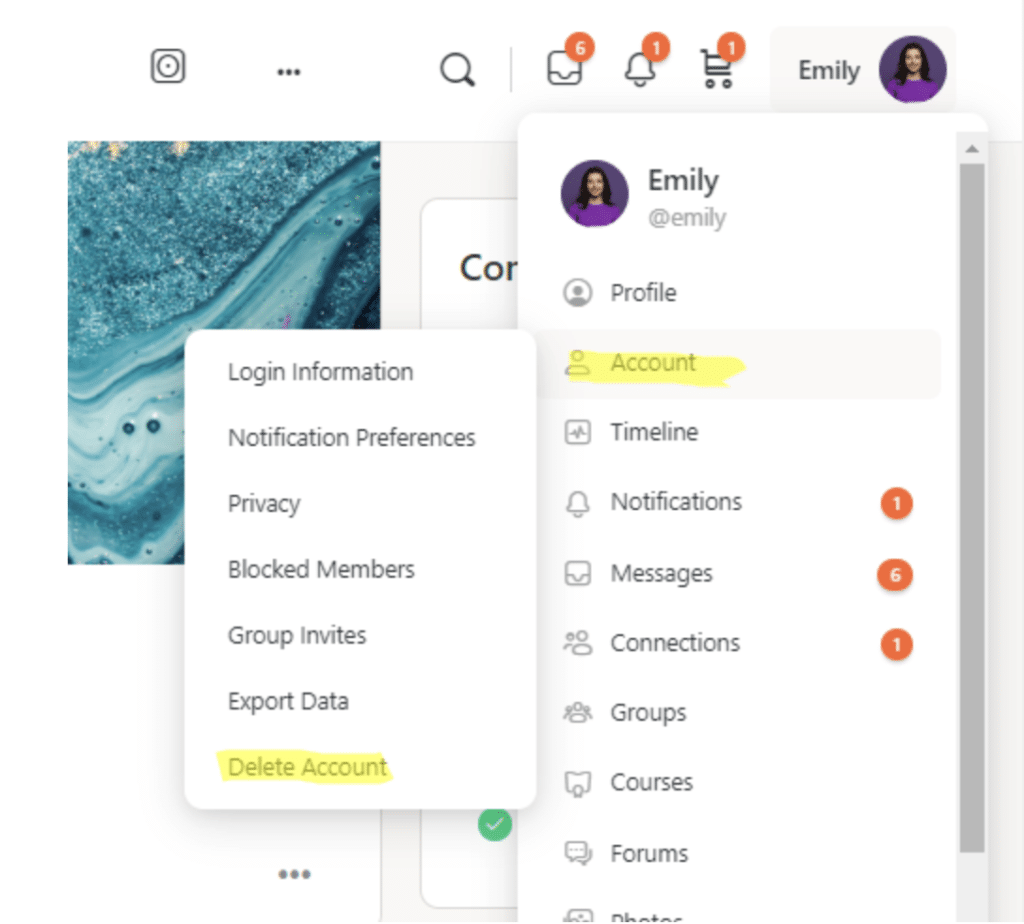
- Go to your Account>Delete Account. In the web version of Streams: Your Account is located in the dropdown menu under your name in the upper righthand corner (see image below). In the app version: Go the More section and then click on Settings. Go to the bottom of Settings to Delete Account.
- Select Delete Account and follow the instructions.
Responses