
How to Translate Videos into Other Languages

This article is explains how to add subtitles for other languages to videos on Streams.
NOTE: To learn how to translate the words on the Streams website or app, please go here instead.
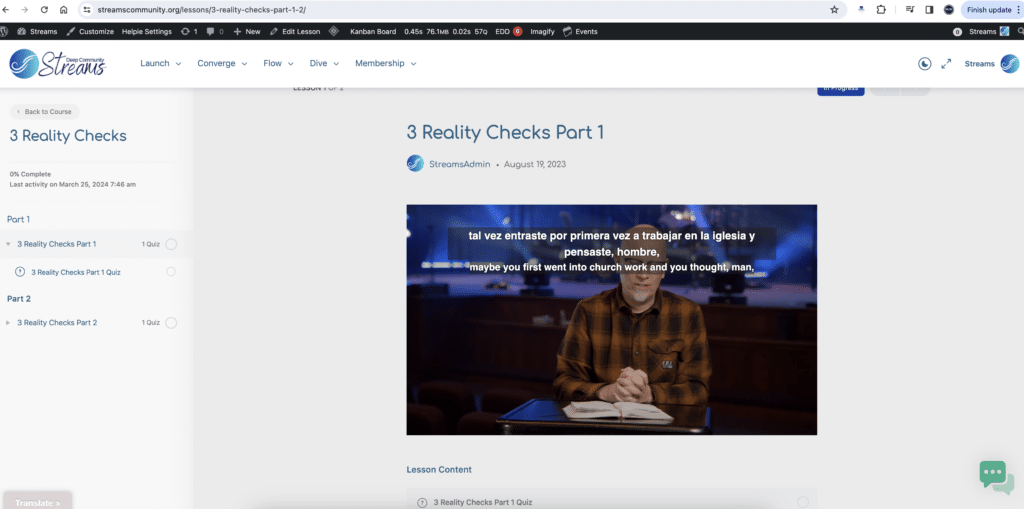
To translate videos into other languages, we recommend you install an extension that will automatically add subtitles in your language to the videos you watch on Streams (see image of translation example below).
- Be sure you have installed Google Chrome as your web browser.
- Paste this address into the address bar of the Chrome browser: https://chromewebstore.google.com/detail/vimeo-subtitle-translator/kdkpngjibepkpikcelhcinhjdkengieb
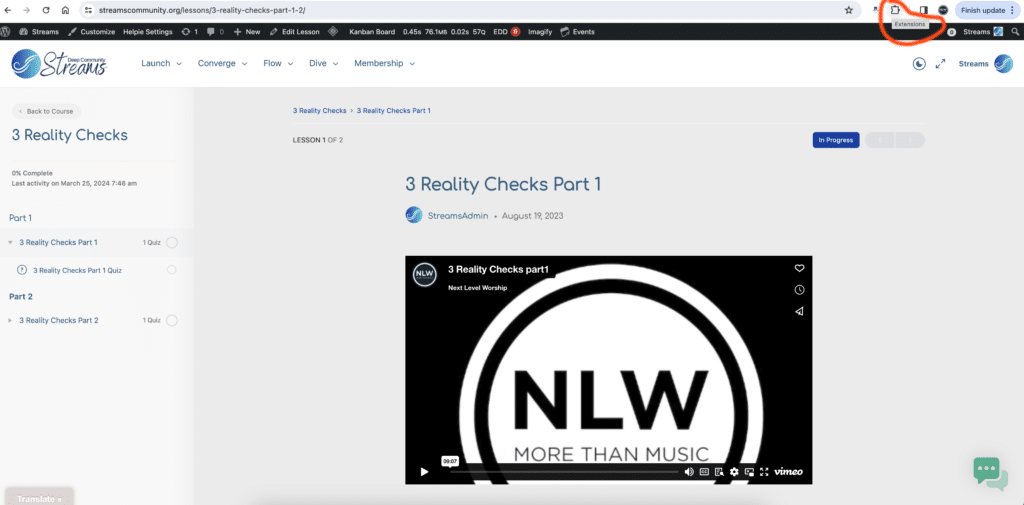
- Open the Extensions tab located at the top right corner of your Chrome browser (see image of extension location below).
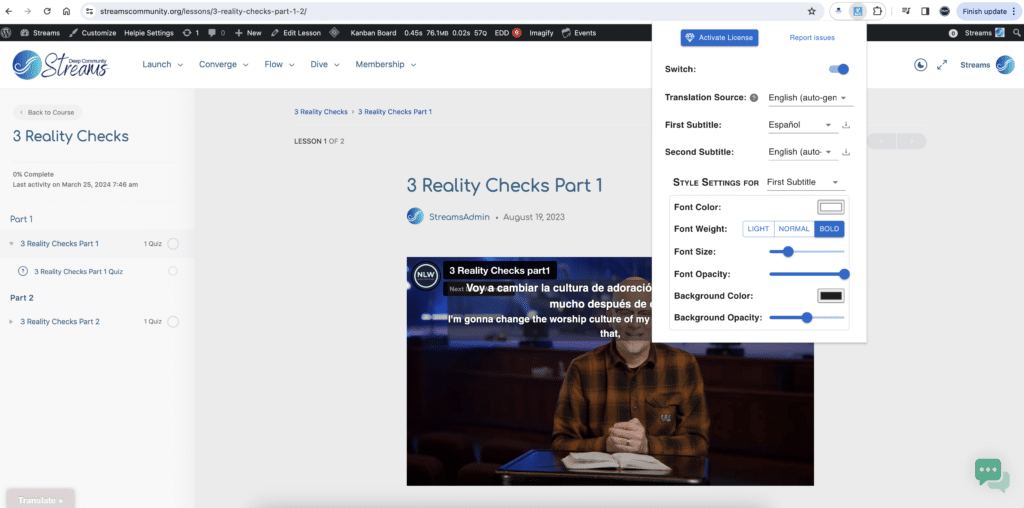
- From the dropdown menu of the First Subtitle, find and select your language (see image of extension menu below).
- Please contact us if you have any questions.
Responses